
Keep, drop, and export video on Mac.
A Mac editor for the review pass. Mark keep or drop, split at the playhead, export the cut. K, U, M.
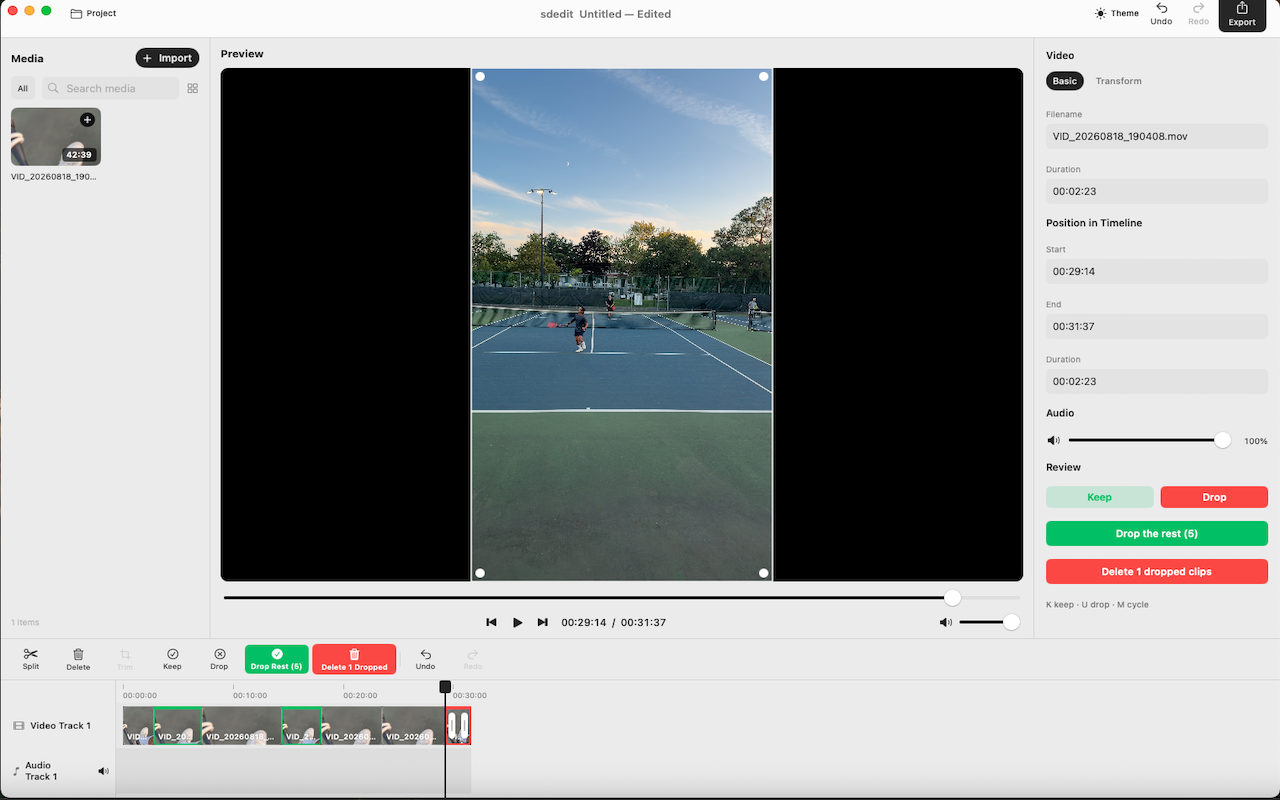
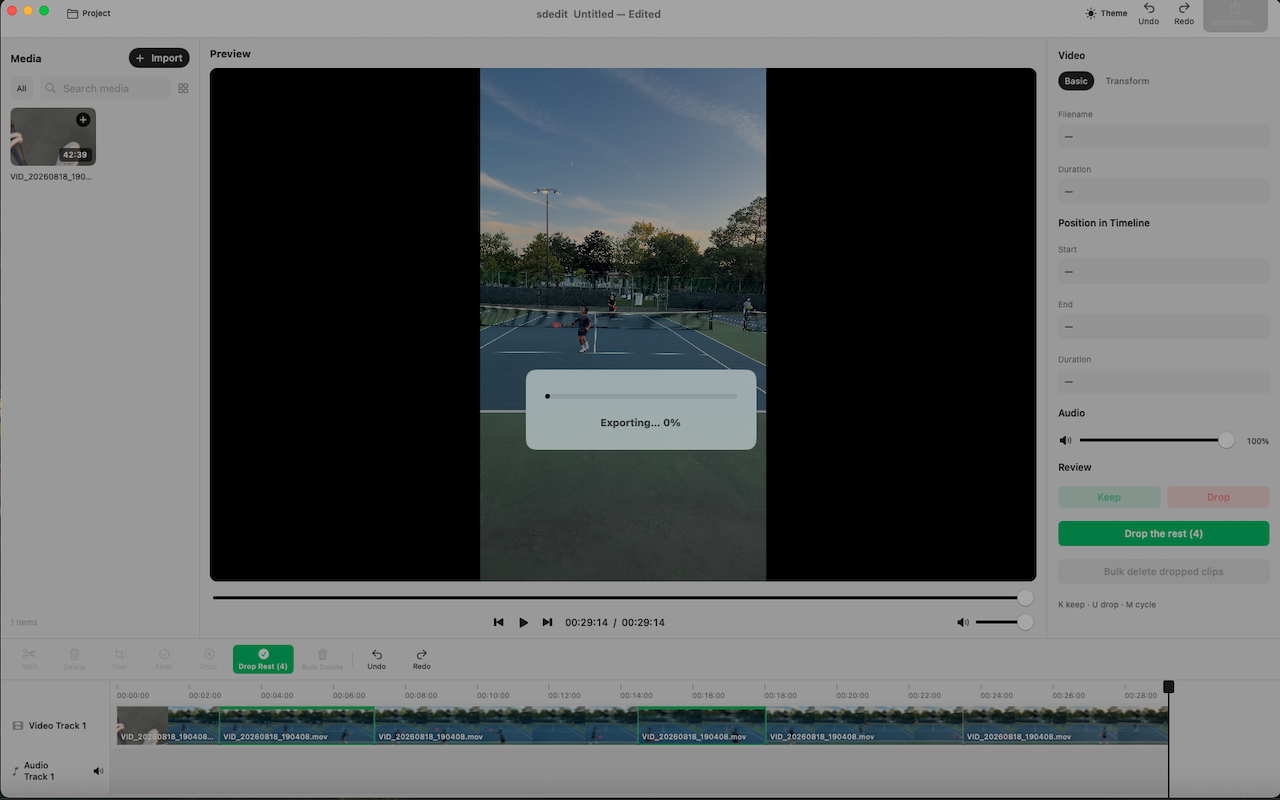
The editor
Library, preview, timeline
Features
A review pass that stays on the Mac
Review at speed
Green keep, red drop. Work through a long recording with the same two decisions, then export what remains.
A real editor layout
Library, preview, inspector, and timeline. Split, trim, volume, undo — without a cloud or a subscription.
Export one file
When the keep list is right, export. The long take stays on disk; the cut is what you ship.
Benefits
Cut a recording down
A review pass, not a NLE
sdedit is for cutting a recording down. Import, mark keep or drop, split at the playhead, export.
Keep · Drop · Cycle
K, U, and M. The inspector shows the same actions as large buttons.
Drop the rest
Keep the few clips that matter, then drop everything unmarked and delete dropped clips.
Dark when you want it
Light and dark themes. Same layout, same shortcuts.
Benefits
What you can do with sdedit
Turn a 40-minute take into the two minutes you actually want.
Keep and drop are visible on the timeline — green in, red out.
Library, preview, inspector, timeline. One window.
Export when the review pass is done. No project required to start.
Features
What you get
Keep or drop
Mark each clip as keep or drop. Then drop the rest, or delete every dropped clip in one pass.
Keyboard first
K keep, U drop, M cycle. Review a long take without leaving the timeline.
Split and trim
Cut at the playhead, trim to the playhead, delete what you don't want.
Import and export
Drop files into the library, review on a real timeline, export one file.
Transform
Scale, crop, and position in the inspector when a clip needs a tighter frame.
Light and dark
Match the Mac. Switch appearance from the title bar.
Pricing
Free. macOS 14+.
sdedit
A native Mac editor. No subscription.
What you need
Local files. Nothing is uploaded.
FAQ
Frequently Asked Questions
K
Mark the clip you want in the export.
U
Mark the clip you don't. Delete later.
M
Flip keep, drop, unmarked.
K
Mark the clip you want in the export.
U
Mark the clip you don't. Delete later.
M
Flip keep, drop, unmarked.
K
Mark the clip you want in the export.
U
Mark the clip you don't. Delete later.
M
Flip keep, drop, unmarked.
timeline
Cut at the playhead.
playhead
Keep only after the playhead.
⌘E
One file when the review pass is done.
timeline
Cut at the playhead.
playhead
Keep only after the playhead.
⌘E
One file when the review pass is done.
timeline
Cut at the playhead.
playhead
Keep only after the playhead.
⌘E
One file when the review pass is done.
K
Mark the clip you want in the export.
U
Mark the clip you don't. Delete later.
M
Flip keep, drop, unmarked.
K
Mark the clip you want in the export.
U
Mark the clip you don't. Delete later.
M
Flip keep, drop, unmarked.
K
Mark the clip you want in the export.
U
Mark the clip you don't. Delete later.
M
Flip keep, drop, unmarked.
timeline
Cut at the playhead.
playhead
Keep only after the playhead.
⌘E
One file when the review pass is done.
timeline
Cut at the playhead.
playhead
Keep only after the playhead.
⌘E
One file when the review pass is done.
timeline
Cut at the playhead.
playhead
Keep only after the playhead.
⌘E
One file when the review pass is done.
K
Mark the clip you want in the export.
U
Mark the clip you don't. Delete later.
M
Flip keep, drop, unmarked.
K
Mark the clip you want in the export.
U
Mark the clip you don't. Delete later.
M
Flip keep, drop, unmarked.
K
Mark the clip you want in the export.
U
Mark the clip you don't. Delete later.
M
Flip keep, drop, unmarked.
timeline
Cut at the playhead.
playhead
Keep only after the playhead.
⌘E
One file when the review pass is done.
timeline
Cut at the playhead.
playhead
Keep only after the playhead.
⌘E
One file when the review pass is done.
timeline
Cut at the playhead.
playhead
Keep only after the playhead.
⌘E
One file when the review pass is done.
Cut the long take. Keep the hit.
sdedit is a Mac editor for keep, drop, and export.